Backtesting
Backtesting simulates predictions that would have been obtained historically with a given model. Backtesting is used to predict the future accuracy of a forecasting method, and is therefore useful in determining which model can be considered the most accurate .
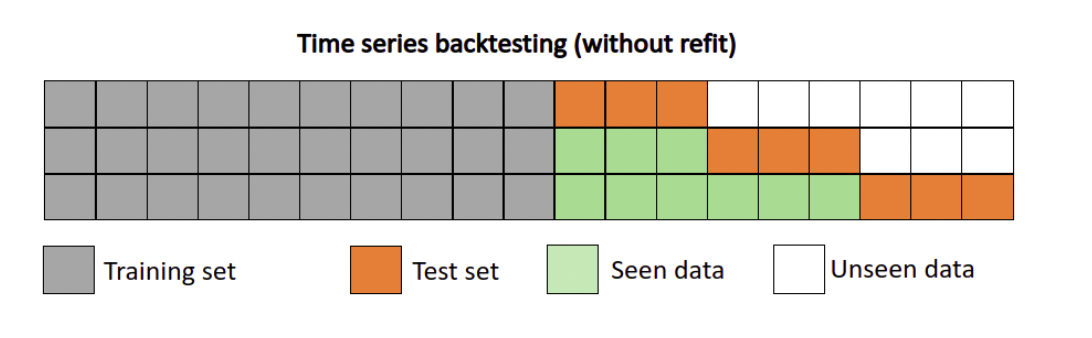
Backtest is an iterative procedure,backtest repeatly predict on dataset with a fixed predict window, and then moves to the end of the training set forward by fixed steps. As in above figure, the orange part is a predict window with length 3. In each new iteration, the window will move forward by 3 points, and the train set length will forward 3 points either. This procedure repeats util moves to the end of the training set.
Example
1)Prepare Dataset
from paddlets.datasets.repository import get_dataset
dataset = get_dataset('WTH')
train_dataset, val_test_dataset = dataset.split(0.8)
val_dataset, test_dataset = val_test_dataset.split(0.5)
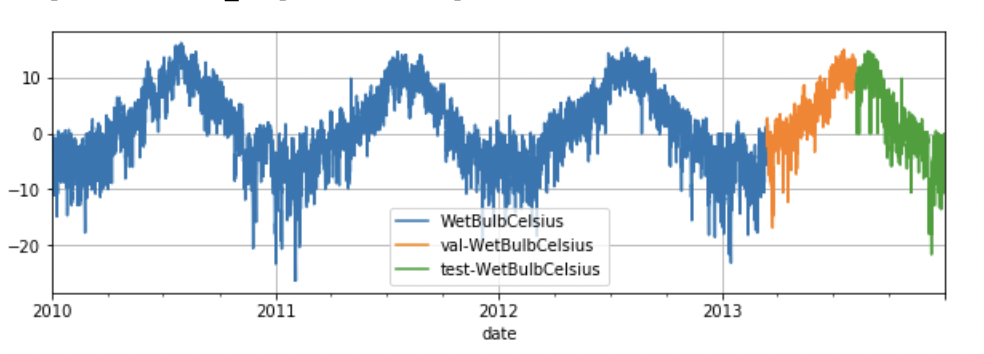
train_dataset.plot(add_data=[val_dataset,test_dataset],labels=["val","test"])
2)Fit model
from paddlets.models.dl.paddlepaddle import MLPRegressor
mlp = MLPRegressor(
    in_chunk_len = 7 * 96,
    out_chunk_len = 96,
    max_epochs=100
)
mlp.fit(train_dataset, val_dataset)
3)Backtesting
Five examples are given below. For more bascktest features please read Backtesting API doc .
Backtesting Example 1
Backtest will start at model input_chunk_length and return a MSE score by Default.
from paddlets.utils import backtest
score= backtest(
    data=test_dataset,
    model=mlp
)
print(score)
#1.7069822928807792
Backtesting Example 2
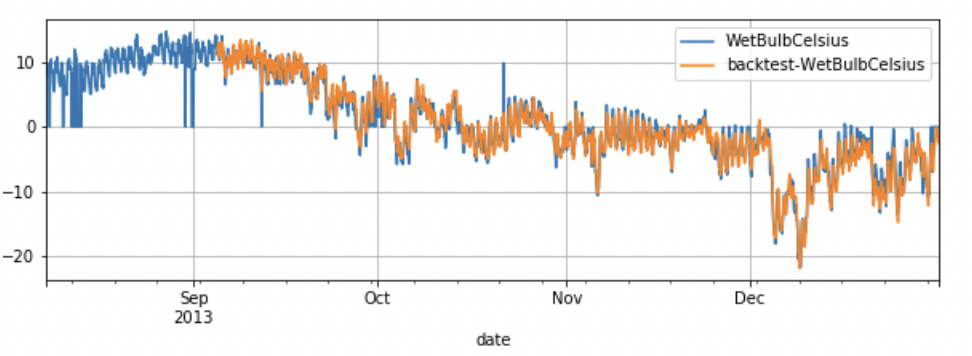
If set return_score to False, Backtest will return a TSDataset.
from paddlets.utils import backtest
preds_data= backtest(
    data=test_dataset,
    model=mlp,
    return_score =False)

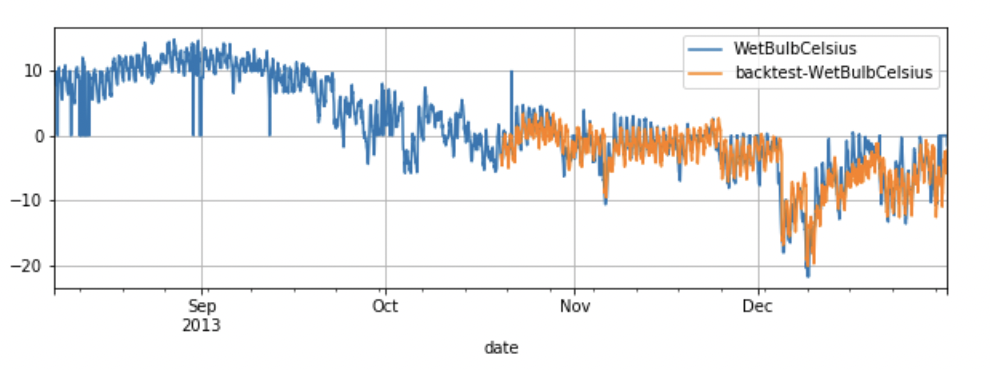
val_test_dataset.plot(add_data=preds_data,labels="backtest")
Backtesting Example 3
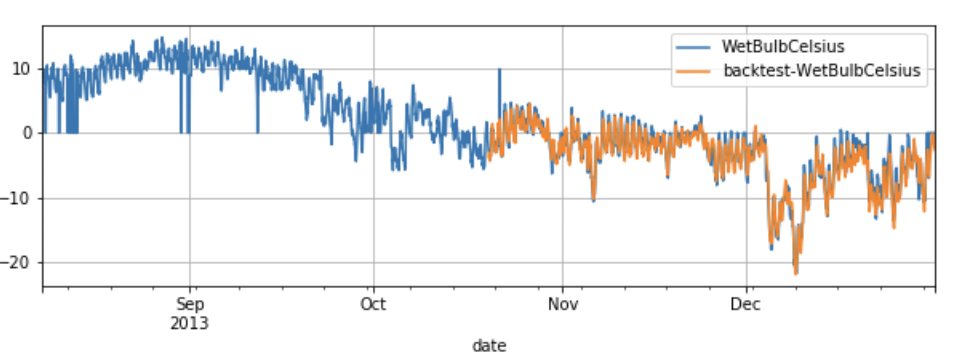
start can control the start point of backtest, If set start to 0.5, Backtest will start at the middle of dataset.
from paddlets.utils import backtest
preds_data= backtest(
    data=test_dataset,
    model=mlp,
    start =0.5,
    return_score =False)
test_dataset.plot(add_data=preds_data,labels="backtest")
Backtesting Example 4
predict_window is the window for the prediction.
stride is the number of time steps between two consecutive predict window.
In most situations, predict_window and stride should be set to simulate the realy prediction.
from paddlets.utils import backtest
preds_data= backtest(
    data=test_dataset,
    model=mlp,
    start =0.5,
    predict_window=24,
    stride=24,
    return_score =False)
test_dataset.plot(add_data=preds_data,labels="backtest")
Backtesting Example 5
If set predict_window != stride and return_score = False, backtest will generate a List of TSdataset as output.
Because the predict results are overlaped in this situation.
from paddlets.utils import backtest
preds_data= backtest(
    data=test_dataset,
    model=mlp,
    predict_window=24,
    stride=12,
    return_score =False)
type(preds_data)
#list[TSdataset]